 Haris
Haris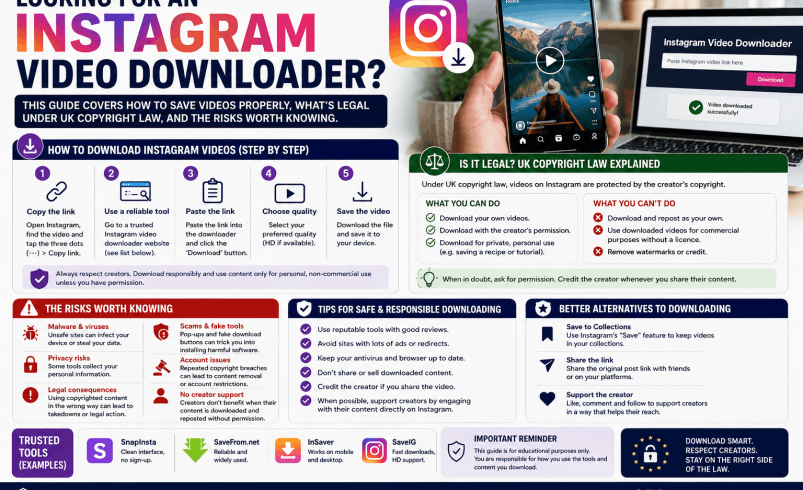
If you’re searching for an Instagram video downloader, you’re probably trying to save a video, either your own or someone else’s, for offline viewing. The good news is that Instagram’s own app now covers most of this without any third-party tool at all, and understanding when that’s true (and when it isn’t) will save you from apps and websites that carry real copyright and privacy risks.
This guide covers the built-in ways to download Instagram video, how to download Instagram video for your own posts specifically, what UK copyright law actually says about saving other people’s content, and the genuine risks of third-party video downloader tools, including the ones marketed for downloading YouTube videos as well as Instagram.
The Fastest Way to Download Instagram Video: Your Own Posts
If the video is yours, Instagram gives you a direct way to save it with no third-party tool needed.
For a Reel you’ve posted, open it, tap the three dots in the bottom corner, and select Save. This saves the file to your device’s camera roll or gallery in the quality Instagram stores it at. For a standard video post, the same three-dot menu on your own content includes a save or download option, though the exact wording varies slightly by app version.
If you want the video before you’ve posted it at all, most people simply keep a copy of the original file used to create the post, since re-downloading afterwards can lose some quality through Instagram’s compression.
Downloading Other People’s Public Reels: The Built-In Option
Instagram has added a native download option for some public Reels, controlled by the original creator. Open the Reel, tap the paper aeroplane share icon, and look for a Download option in the menu that appears. If it’s there, the creator has allowed it and you can save the video directly through the app, no separate tool required.
If that option doesn’t appear, the creator hasn’t enabled it, and that’s a deliberate choice on their part, not a bug. Working around this by using a third-party tool doesn’t just breach Instagram’s terms, it also overrides a choice the creator made about their own content.
What UK Copyright Law Actually Says
This is the part most downloader websites gloss over, and it’s worth being direct about. Under the Copyright, Designs and Patents Act 1988, the person who created a photo or video generally owns the copyright in it, whether or not it’s marked with a copyright symbol and whether or not the account is public. Posting content publicly on Instagram doesn’t put it into the public domain, and it doesn’t transfer any rights to viewers.
Downloading a video for your own private, offline viewing is a low-risk use that rarely leads to any real-world consequence, since it doesn’t involve distributing or reusing the content. Reposting, editing, or reusing someone else’s video without permission is a different matter entirely and can amount to copyright infringement, regardless of whether Instagram’s own download button was available or you used a third-party site to get it.
Separately from copyright, Instagram’s Terms of Use prohibit scraping or downloading content through unauthorised methods. Breaching this is a contractual matter between you and Instagram, not a criminal offence, and the practical consequence is usually limited to account restrictions rather than legal action, but it’s still worth knowing the line exists.
| Use case | Copyright risk | Instagram ToS risk |
| Saving your own posted content | None | None |
| Saving a public Reel via the native download button | Low | None, this is Instagram’s own feature |
| Personal offline viewing of someone else’s video via a third-party tool | Low to moderate | Breach of terms |
| Reposting or reusing someone else’s video without permission | High | Breach of terms |
Third-Party Instagram Video Downloaders: What They Actually Do
When the native download option isn’t available, a lot of people turn to third-party websites or apps. These typically work by asking you to paste the Instagram post’s link, then fetching the underlying video file directly rather than through Instagram’s own interface.
A few things are worth knowing about how this category of tool operates in practice:
- Most are free to use, funded by advertising rather than a subscription, since there’s no licensing cost involved for them; be cautious of any that ask for payment or an account login, since Instagram’s own terms don’t support this kind of access in the first place.
- Several actively advertise watermark removal, stripping any branding or attribution the original creator added. This is a strong signal that the tool is built for reposting rather than personal backup, and using that feature specifically increases your copyright exposure.
- None of them are affiliated with or endorsed by Meta, whatever their branding suggests, and Instagram can and does change its site in ways that break these tools without notice.
Because of how this category operates, it’s genuinely difficult to verify any individual tool’s safety, data handling, or reliability from the outside, and new sites appear and disappear constantly. If you use one, treat it the same way you would any unfamiliar website: avoid entering any personal details, avoid ones that ask you to install a browser extension or app outside the official app stores, and be sceptical of ads and pop-ups within the tool itself.
Downloading YouTube Videos: The Same Rules, Different Platform
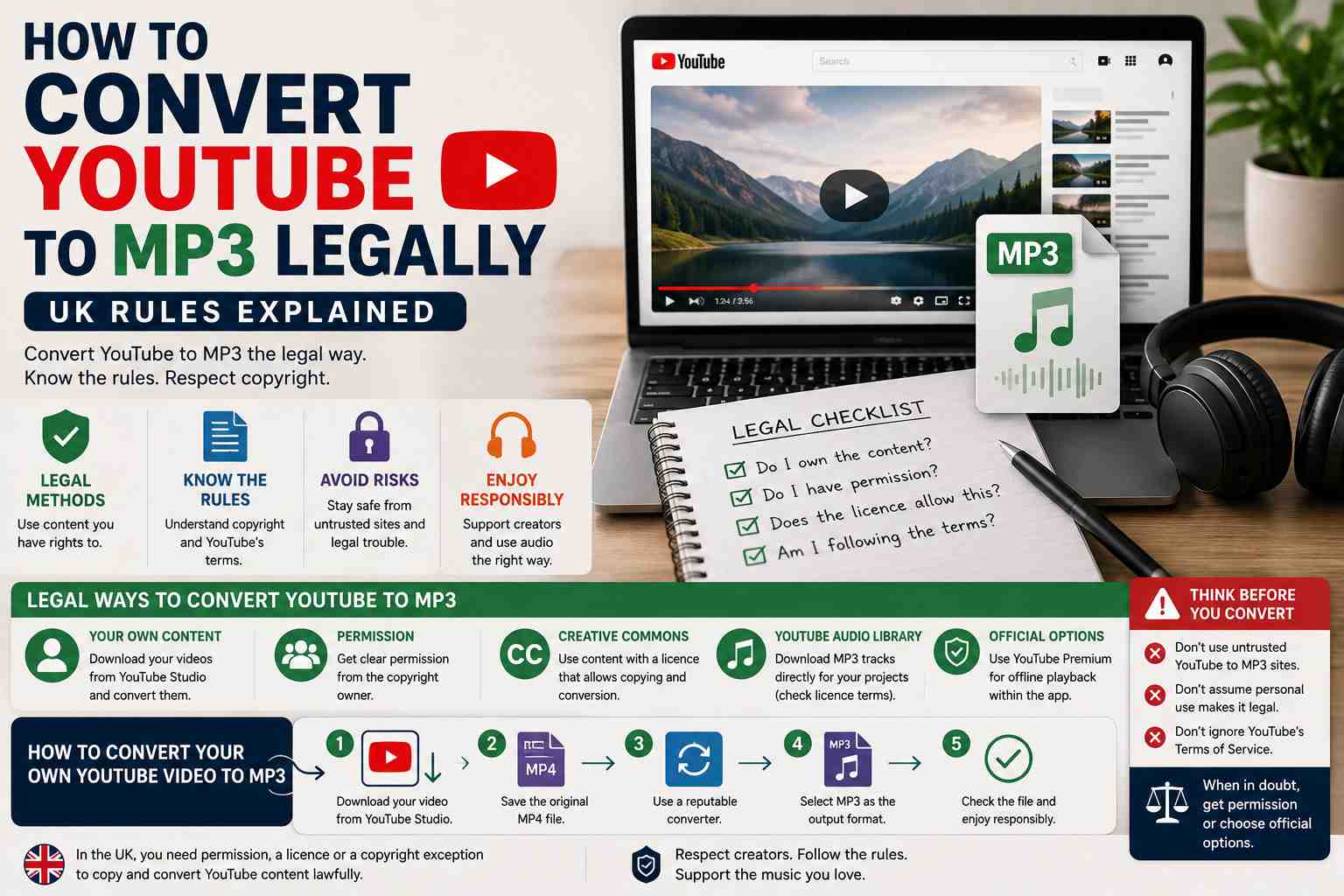
The same principles that apply to Instagram video download apply to a video downloader for YouTube videos too, since it’s the same underlying legal territory. YouTube’s Terms of Service prohibit downloading video content except through features YouTube itself provides, and UK copyright law treats a YouTube upload the same way it treats an Instagram post: the uploader generally owns the rights, and downloading for reuse without permission carries real infringement risk.
YouTube does offer its own legitimate download option through YouTube Premium, which lets subscribers save videos for offline playback within the YouTube app itself, rather than as a standalone file. This is the officially sanctioned route if offline YouTube viewing is genuinely what you need.
Requesting a Copy of Your Own Instagram Data
If what you’re actually after is a backup of everything you’ve posted, Instagram’s own Download Your Information tool, found in Accounts Centre under Your Information and Permissions, lets you request an export of your posts, videos, messages and other account data. This is a legitimate route to a full personal archive, is free, and typically takes a day or so to process, though the exact time can vary depending on how much data is being exported.
[Image: screenshot of the Instagram Accounts Centre Download Your Information page]
FAQ
Q: Is it legal to download Instagram videos in the UK?
Downloading your own content, or a public Reel via Instagram’s own download button, carries no legal risk. Downloading someone else’s video for strictly private offline viewing is low risk in practice, though it still breaches Instagram’s Terms of Service. Reposting or reusing someone else’s video without permission can amount to copyright infringement under UK law regardless of how you obtained the file.
Q: How do I download my own Instagram video?
Open the post or Reel, tap the three dots menu, and select Save. This saves the file to your device’s camera roll or gallery in the quality Instagram has stored it at. This works entirely within the Instagram app and needs no third-party tool.
Q: Why doesn’t Instagram let me download every Reel?
The download option only appears when the original creator has enabled it for that specific Reel, which is a setting they control, not a feature limitation. If it’s missing, the creator has chosen not to allow direct downloads of that content.
Q: Are Instagram video downloader websites safe to use?
This varies enormously between individual sites, and there’s no reliable way to vet them from the outside since new ones appear constantly and none are affiliated with Instagram. Avoid ones that request account logins or personal details, and be sceptical of ads, pop-ups and any that push a browser extension or app install outside official app stores.
Q: Can I get in trouble for using a downloader app?
Using one to save content for strictly personal, private viewing is unlikely to lead to any real consequence, though it does breach Instagram’s terms. Using one to download and repost someone else’s content without permission carries a real risk of a copyright claim or takedown from the original creator, separate from any action Instagram itself might take on your account.
Q: Does downloading a video remove the watermark automatically?
Some third-party tools specifically strip Instagram’s branding or the creator’s own watermark as a selling point. This isn’t a neutral technical step, it specifically removes the attribution the creator chose to include, and using it increases the risk that reuse of the video would be treated as infringement rather than personal backup.
Q: Can I download Instagram Stories the same way as Reels or posts?
Instagram doesn’t currently offer a native download button for Stories the way it does for some Reels, and Stories typically disappear after 24 hours unless saved to a Highlight. Screen recording your own Stories before they expire is the most straightforward native option if you want to keep a copy.